Showing posts with label Panasonic. Show all posts

Panasonic Launch New Toughbook For Busines

Panasonic Launch New Toughbook For Busines
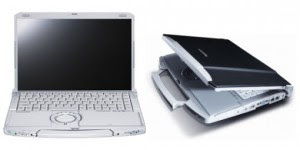
They say that business is getting harder and so in a market like that the businessperson is going to need a super tough laptop. Panasonic have obliged by bringing out a revamped version of the Toughbook the T9 and surprisingly it weighs just 3.6 pounds and still has a 14 inch display.

It has Wi-Fi and the option for WiMAX, however all of this good stuff does not come cheap the Panasonic T9 costs from $2,900!

Select Features and Specifications of the Panasonic Toughbook:

Genuine Windows 7® (with XP downgrade option)

Intel® Core™ i5-520M vPro™ Processor (2.4 GHz with Turbo Boost up to 2.93 GHz)

320GB shock-mounted, flex-connect, removable HDD

2GB RAM (DDR3-1066MHz), expandable to 6GB

14.1” widescreen (1440 x 900) WXGA+ LCD with LED backlighting

Anti-glare screen treatment

DVD Super MULTI Drive with Dual Layer Support

Up to 7 hour battery life

3.6lbs

Business-rugged

30” operating drop (to base only)

26 sides 12” drop (non-operating)

220 lb pressurized vibration

Magnesium alloy case

Spill-resistant keyboard (protects against 7 ounces spills)

Embedded Connectivity

Optional integrated WWAN / Gobi2000™ mobile broadband

Optional WiMAX

Intel® Centrino® Advanced-N 6200 802.11a/b/g/n

Bluetooth® v2.1 + EDR (class 1)

Optional Integrated Security Features:

Fingerprint reader

SmartCard reader

9.9″ (L) x 12.8″ (W) x 1.0″/1.9″ (H) front/rear

Priced at $2,899

Panasonic launch New Tough Book With Battery Powerful

Panasonic launch New Tough Book With Battery Powerful
The S9 from Panasonic is the latest addition the Toughbook range and it has all of the looks and features that you would expect from a laptop called a Toughbook such as an optical drive, an Intel Core i5-520M processor, 2GB of RAM, and a shock-mounted 320GB hard drive.

However, most impressive is the magnesium alloy case, which Panasonic claims to be able to withstand a two and foot drop, although who is going to test that one out!

These are the Panasonic Toughbook (R) S9: Select Features and Specifications:

Genuine Windows 7(R) (with XP downgrade option) Intel(R) Core(TM) i5-520M vPro(TM) Processor (2.4 GHz) Turbo Boost up to 2.93 GHz 3MB Intel Smart Cache 320GB shock-mounted flex-connect hard drive 2GB RAM (DDR3), expandable to 6GB 12.1″ widescreen WXGA (1280 x 800) LCD display with LED backlighting Anti-glare screen treatment Up to 11 hours of battery life with standard battery (MobileMark) 3.0 lbs DVD super multi-drive HDMI and VGA video outputs Business-rugged 30″ operating drop (to base only) 26 sides 12″ drop (non-operating) 220 lb compression-resistant Magnesium alloy case Spill-resistant keyboard/touchpad (protects against 6 ounces spills) Embedded Connectivity Optional integrated WWAN / Gobi2000(TM) mobile broadband (EV-DO and HSPA) Intel(R) Centrino(R) Advanced-N 6200 802.11a/b/g/n Bluetooth(R) v2.1 + EDR (class 2) Gigabit Ethernet Optional Integrated Security Features: Fingerprint reader 11.1″ (H) x 8.3″ (W) x 0.9-1.5″ (D)

The Panasonic Toughbook(R) S9 is priced at $2,499
Source [laptoppimp.com]

New Panasonic J9 Tough Book

New Panasonic  J9 Tough Book
This is one of the first close up examinations of the Panasonic Lets Note J9 Tough Book, it was upgraded a while back, but still it makes for a great looking machine that is tough enough to withstand some serious punishment and is still powerful enough to be able to carry out all the jobs thrown at it.

These are the main specs and features for the Panasonic Lets Note J9 Tough Book;

Operating system: Windows 7 32 or 64-bits

Processor: Intel® Core ™ 2.53GHz i5-460m (turbo boost up to 2.80GHz)

Chipset: Mobile Intel® Express Chipset HM55

Graphics card: Intel® HD Graphics

Memory: 2GB (up to 6GB) of 204-pin SO-DIMM DDR3 RAM

Storage: SSD128GB (up to 256GB)

Screen: 10.1” WXGA (1366 × 768)

Sound: PCM sound (stereo 24-bit) / Intel® High Definition Audio

I/O: HDMI, Wi-Fi (ABGN), WIMAX (IEEE802.16e), Fast Ethernet standard, “1000BASE-T”, 3 USB 2.0 ports, analog RGB, SDXC / SDHC / SD memory card reader,

Battery life: 12 hours (8 hours without eco mode)

Weight: 1.205kg (with jacket), 0.99kg (no jacket)

Boot time: 15 seconds

No prices yet

Panasonic ToughBook CF-19 Laptop


If you're a regular reader of TrustedReviews you will have seen my previous ToughBook reviews. You will also be aware that I try to put these notebooks through as much punishment as possible while I have them in my possession. You see the Panasonic ToughBook is a very different type of notebook computer. It's not about the latest CPU or the fastest graphics chip, oh no. The ToughBook line is all about survival!

I'm sure that Darwin wasn't thinking about laptops when he wrote about natural selection, but I'd say that it's a safe bet that if you threw a dozen notebooks on a desert island for a year, it would be the ToughBook that would survive the ordeal and claim the million Dollar prize. Whether or not Darwin actually coined the phrase "survival of the fittest" (it still seems to be open to debate), there's little doubt that the ToughBook range of notebooks would survive the trials of life better than any other.


The CF-19 falls under Panasonic's fully rugged moniker, meaning that it will stand up to almost anything. That includes being dropped from almost a metre, being showered with water, being thrown in the mud and being dragged through dust and sand. It's therefore no surprise that ToughBooks are used by the US military, where the conditions are often inhospitable to say the least. In fact Panasonic was keen to mention that a ToughBook saved a soldier's life during Desert Storm, which I mentioned in my CF-29 review.

The unusual thing about the CF-19 and the CF-18 before it, is that despite being as tough as an armadillo, it's also pretty small and light. Weighing in at 2.25kg and measuring 271 x 216 x 49mm (WxDxH), the CF-19's proportions don't indicate that it could withstand serious abuse, but believe me, it can. The video embedded on this page shows the CF-19 being dropped from a metre high, being doused in water, having someone jump on it and having it doused in more water with the lid open. You can also see from the video that the CF-19 still worked after all that punishment and was happy to be doused in yet more water when powered on.


Because fully rugged ToughBooks are built to be used in extreme environments, pointer movement can be something of an issue. It's hard to use a touchpad when it's covered in mud or dust, so Panasonic has equipped the CF-19 with a touch screen instead. Now, when I reviewed the CF-29 I found it incredibly simple to navigate Windows with my index finger, but when I reviewed the CF-18 I realised that the 10.4in screen made this a little tricky. The same is true for the CF-19, which utilises the same 10.4in screen, but Panasonic gets around this problem by hiding a stylus just below the screen. Continuing with the rough and ready theme, there's also a supplied cord that attaches the stylus to the CF-19, to make sure that you don't lose it while you're kyaking down the Yukon.
Saorce,,,

Panasonic’s Truly “ToughBook”

panasonic toughbookThis notebook is literally almost indestructible. It can withstand 70-mph winds, 6-inches of blowing rain per hour, and being dropped from a height of 6 feet over 25 times. This notebook is none other than Panasonic’s ToughBook CF-31.

This tank like piece of machinery looks very similar to is rugged predecessor, but the inside of the CF-31 shows exactly how Panasonic has made some changes. This ToughBook features a Intel Core i5 processor that almost doubles the performance and increases protection without having to sacrifice any battery life. This laptop that is generally meant for government agencies and police forces is listed at $3,799. This is about $1,000 less than the original ToughBook, which should make this much more available to those that need the notebook.

The ToughBook almost looks like a toolbox when it is closed up. The lid, bezel, and handle are all made of a magnesium alloy that is surrounded by a hard black plastic. The lid is held up by a pair of heavy duty hinges, and when you close the lid there is a spring-loaded latch that firmly secures it to the base.

The notebook measures 11.9 x 11.5 x 2.9 inches and weighs 8.8 pounds. This obviously is not the kind of notebook that you slide into your backpack and head to class with. However, it isn’t that difficult to get around with, because Panasonic designed the notebook to have an easy access handle to make carrying fairly simple.

Panasonic has also stepped up the protection with the CF-31. This incredible notebook is able to withstand temperatures ranging from -20 to 140 degrees Fahrenheit while operating and -40 to 160 degrees Fahrenheit when turned off. As I mentioned previously, it can withstand incredible wind, water, and drops from heights. It can also survive up to 310 pounds of pressure on its lid as well.

Besides protecting against the environment that the notebook will be placed in, it also provides you with great security. It includes a Smart Card reader, fingerprint reader, Trusted Platform Module (TPM) v1.2. It also features a conceal mode that turns off or dims the screen, all LED lights, and sounds immediately with a single press of a button.

The keyboard on the CF-31 is a great size and is fairly responsive. It is also backlit which is an incredibly useful feature. The touchpad is a little on the small size, only measuring 2.3 x 1.6 inches, but it is pressure sensitive which means that it can be used even when wearing gloves. A stylus is also built in if you don’t want to deal with using your finger.

The ToughBook features a 13.3-inch screen with 1024 x 768 resolution. This might seem kind of low compared to most other laptops, but it works great for the touchscreen applications.

The CF-31 has a variety of different buttons and ports including: four USB ports, Ethernet, HDMI ports with a SIM Card slot beneath, a power switch, fingerprint reader, SD Card slot, ExpressCard/34/54 slots, Wi-Fi switch, VGA, and DVD drive. A webcam is not included, but it is available as an option.

Performance wise, the CF-31 operates on a Windows XP operating system, has the latest 2.53-GHz Intel Core i5-540M CPU, and has 2 GB of RAM. The battery life was pretty good, lasting for 6 hours and 32 minutes.

Overall, the ToughBook CF-31 is quite an impressive notebook. I was first intrigued by the indestructible exterior of the laptop, but when looking at the inside, I was even more amazed. Yes, it is very pricey, but it is an almost unbreakable piece of machinery. Although it may not be practical for everyday use, I think that this is definitely great for someone in a line of work like the police force. This notebook is really interesting to read up on. It has so many different features that you don’t find in a regular notebook. Although its not for everyone, it is an extremely cool laptop that definitely deserves some recognition.

Looking for Laptop Rental information? Visit our page for Laptop Rentals for a variety of laptop rental solutions for business or personal use. Or call today at 800-736-8772.