Showing posts with label ThinkPad. Show all posts

Lenovo ThinkPad X201 Review

Lenovo ThinkPad X201
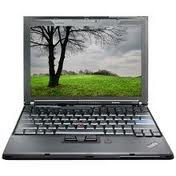
The design of the X201 is almost similar to the rest of the Lenovo’s ThinkPad-series laptops. The X201 looks pretty attractive and it appears to be nicely designed. Its body has black metallic finish that offers sturdy grip in the hands. The changes in the ThinkPad over the year are quite subtle.

The X201 features traditional, decent tapered-key keyboard. Nowadays, several laptop makers are switching to flat-topped island-style keyboards. However, the keys on the X201 are large and convenient to type upon. The important keys like Shift, Alt and Tab are good size. The palm rest area has been squeezed to make room for larger keyboard.

The touchpad is relatively small compared to other laptops. Touchpad has good responsiveness and there by it is convenient to use. However, we had some problem to pinch-to-zoom on this laptop. The mouse buttons are present at the bottom. Lenovo also includes larger than usual trackball with dedicated buttons for it. It is unnecessary as it has decent touchpad and it also tampers some of the keys in the keypad.

Lenovo ThinkPad X201 Specifications:

Screen: 12.1-inch WXGA (1280 x 800) LED Backlit (Matte finish)
Operating System: Windows 7 Professional (64bit)
Processor: Intel Core i5-540M (2.53GHz, 3MB Cache)
Memory: 4GB DDR3 RAM (2GB + 2GB)
Storage: 320GB Hitachi HDD (7200rpm)
Wireless: Intel 6200 802.11AGN, Bluetooth
Graphics: Intel GMA HD Integrated Graphics
Power: 94Wh 9-cell, 65W 20V AC adapter
Dimensions: 11.6 x 9.2 x 0.8 - 1.4"
Weight: 3.52lbs
Retail Price: $1,625 [notebookreview.com]

Random Post:
- Lenovo IdeaPad Z560 review and specs
- Lenovo IdeaPad Z360 Review, Specs and Price

Lenovo ThinkPad Edge E520 Feature, Specs and Price

Lenovo ThinkPad Edge E520
Lenovo ThinkPad Edge E520 features is Intel Core i5-2410M or i3-2310M dual-core processor, a 15.6” LED backlit display with HD resolution, Intel HD graphics, DDR3 1333MHz memory, Intel QM65 chipset, 4-cell or 6-cell battery, HD webcam, HD audio, 4-in-1 card reader, an HDMI port, and four USB 2.0 port.

Lenovo ThinkPad Edge E520 Specifications

Display
Diagonal Size : 15.6”
Resolution : 1366 x 768 (HD), 16:9
Technology : LED backlit

Graphics Card
Intel® HD graphics/Intel® HD graphics 3000

Processor
Type : Intel® Core™ i5-2410M dual-core processor
Speed : 2.30 GHz with Turbo Boost up to 2.9 GHz
Cache : 3 MB L3

Type : Intel® Core™ i3-2310M dual-core processor
Speed : 2.10 GHz
Cache : 3 MB L3

Chipset
Intel® QM65

Memory
DDR3 1333MHz
Max : 8 GB

Storage
HDD :
Up to 320GB hard disk drive (with ThinkVantage Active Protection System™) (7200rpm)

SSD :
80GB mini-SATA Solid State Drive (7200rpm) 128GB Solid State Drive

Optical Drive
Integrated tray-load DVD drive

Communication
WLAN :
Intel® a/b/g/n WLAN + WiMax
Intel® b/g/n WLAN
Broadcom® a/b/g/n WLAN
Realtek b/g/n WLAN

Bluetooth : Bluetooth® 3.0

Inputs and Controls
Full-size keyboard with numeric keypad
Multi-gesture touchpad

Audio
HD audio
Stereo speakers
Built-in microphone
Combo headphone/microphone-in

Interface
1 x VGA out
1 x HDMI
1 x Gigabit Ethernet
1 x Microphone/speaker combo jack
4 x USB 2.0 (1 powered, 1 USB/eSATA combo)

Slots
Card Reader : 4-in-1 card reader (MMC, SD, MS, MS-Pro, xD, SDHC)
34mm ExpressCard

Camera
720p HD low light-sensitive webcam

Power
Battery :
4-cell 2.2 Ah
6-cell 2.2 Ah

Battery Life :
6-cell (with integrated graphics) : 6 hours
6-cell (with discrete graphics) : 5 hours

Security
Fingerprint reader (optional)

Dimensions and Weight
Width : 375 mm (14.76”)
Depth : 245 mm (9.64”)
Height : 28 – 33 mm (1.10 – 1.29”)
Weight : 5.2 lbs

Operating System
Genuine Windows® 7 Home Premium 64-bit
Genuine Windows® 7 Professional 32-bit
Genuine Windows® 7 Professional 64-bit
Genuine Windows® XP (via downgrade)

Software
Supported TVT Tools :
• ThinkVantage Utilities
- Power Manager™
- Rescue and Recovery® 4.2
- System Update
• Access Connections™
• Active Protection System™
• Password Manager 3.0

Preloaded Applications :
• Norton® Internet Security 2011
• Microsoft® Office 2010 Starter
• Microsoft® Windows Live™ Essentials
• Skype™

Color
Midnight Black – Smooth
Heatwave Red – Smooth

Price range : $599-

Lenovo ThinkPad Edge E520 Feature, Specs and Price

Lenovo ThinkPad Edge E520
Lenovo ThinkPad Edge E520 features is Intel Core i5-2410M or i3-2310M dual-core processor, a 15.6” LED backlit display with HD resolution, Intel HD graphics, DDR3 1333MHz memory, Intel QM65 chipset, 4-cell or 6-cell battery, HD webcam, HD audio, 4-in-1 card reader, an HDMI port, and four USB 2.0 port.

Lenovo ThinkPad Edge E520 Specifications

Display
Diagonal Size : 15.6”
Resolution : 1366 x 768 (HD), 16:9
Technology : LED backlit

Graphics Card
Intel® HD graphics/Intel® HD graphics 3000

Processor
Type : Intel® Core™ i5-2410M dual-core processor
Speed : 2.30 GHz with Turbo Boost up to 2.9 GHz
Cache : 3 MB L3

Type : Intel® Core™ i3-2310M dual-core processor
Speed : 2.10 GHz
Cache : 3 MB L3

Chipset
Intel® QM65

Memory
DDR3 1333MHz
Max : 8 GB

Storage
HDD :
Up to 320GB hard disk drive (with ThinkVantage Active Protection System™) (7200rpm)

SSD :
80GB mini-SATA Solid State Drive (7200rpm) 128GB Solid State Drive

Optical Drive
Integrated tray-load DVD drive

Communication
WLAN :
Intel® a/b/g/n WLAN + WiMax
Intel® b/g/n WLAN
Broadcom® a/b/g/n WLAN
Realtek b/g/n WLAN

Bluetooth : Bluetooth® 3.0

Inputs and Controls
Full-size keyboard with numeric keypad
Multi-gesture touchpad

Audio
HD audio
Stereo speakers
Built-in microphone
Combo headphone/microphone-in

Interface
1 x VGA out
1 x HDMI
1 x Gigabit Ethernet
1 x Microphone/speaker combo jack
4 x USB 2.0 (1 powered, 1 USB/eSATA combo)

Slots
Card Reader : 4-in-1 card reader (MMC, SD, MS, MS-Pro, xD, SDHC)
34mm ExpressCard

Camera
720p HD low light-sensitive webcam

Power
Battery :
4-cell 2.2 Ah
6-cell 2.2 Ah

Battery Life :
6-cell (with integrated graphics) : 6 hours
6-cell (with discrete graphics) : 5 hours

Security
Fingerprint reader (optional)

Dimensions and Weight
Width : 375 mm (14.76”)
Depth : 245 mm (9.64”)
Height : 28 – 33 mm (1.10 – 1.29”)
Weight : 5.2 lbs

Operating System
Genuine Windows® 7 Home Premium 64-bit
Genuine Windows® 7 Professional 32-bit
Genuine Windows® 7 Professional 64-bit
Genuine Windows® XP (via downgrade)

Software
Supported TVT Tools :
• ThinkVantage Utilities
- Power Manager™
- Rescue and Recovery® 4.2
- System Update
• Access Connections™
• Active Protection System™
• Password Manager 3.0

Preloaded Applications :
• Norton® Internet Security 2011
• Microsoft® Office 2010 Starter
• Microsoft® Windows Live™ Essentials
• Skype™

Color
Midnight Black – Smooth
Heatwave Red – Smooth

Price range : $599-

Lenovo Thinkpad T420s with RapidBoot Extreme, Boot Only 10 Seconds

Lenovo Thinkpad T420s
Once the presence ThinkPad T410s, Lenovo announces new notebooks, namely is Lenovo Thinkpad T420s equipped RapidBoot Extreme technology that is part of Lenovo Enhanced Experience (EE) 2.0 for Windows 7, combining the proprietary BIOS and hardware optimization and Solid State Drive technology, which allows the system to boot within 10 seconds or less. Used is the Intel SSD X25-M.

Lenovo Thinkpad T420s laptops
ThinkPad T420s orchestrated by the second generation of Intel Core processors up to 2.7GHz Core i7-2620M and memory up to 8GB of RAM. This laptop comes with 14-inch screen and surround sound technology Dolby Home Theater. T420s Lenovo ThinkPad notebooks will be offered from mid May starts at $ 1,679.

new Lenovo Thinkpad T420s
Random Post:
- Lenovo T420 Laptop with Best Battery Hold Up to 30 HOURS!
- Lenovo G475 14-Inch Laptop with AMD E-350 CPU

Lenovo ThinkPad T520 Review, Specs and Price

Lenovo ThinkPad T520


Certain notebooks gain a reputation over the years, be it good or bad. The Lenovo ThinkPad-series has been one of those families that has grown for almost 20 years, while still retaining the namesake of being one of the best business notebooks money can buy. Today we look at the new Lenovo ThinkPad T520, which is a 15.6-inch mid-range business notebook that can be equipped with NVIDIA Optimus graphics and a wide range of unique storage options.

Lenovo ThinkPad T520 laptops
For those not familiar with the ThinkPad brand, the three most popular versions include the X, T, and W-series. The X-series is an 11 and 12-inch ultra-portable model, also available in a tablet configuration. The T-series is the bread and butter model, including 14 and 15-inch versions equipped from integrated-graphics only up to mid-range NVIDIA dedicated graphics. The W-series is the workstation-class line, including 15 and 17-inch sizes that offer the highest configurations offered by Lenovo. No matter what type of system you are looking for, there is something for everyone in the ThinkPad family.

new Lenovo ThinkPad T520
The model we are looking at today is the ThinkPad T520, which is based off a rather budget-friendly configuration. It includes Intel GMA HD 3000 integrated graphics, a base 1366x768 LED-backlit display, a second-generation Core i5-2540M processor, 8GB of DDR3 memory, and an Intel mSATA 80GB SSD. The battery is also the base option, which is a six-cell flush-mount model. A larger nine-cell battery is also offered, as is an even larger nine-cell secondary "slice" battery that clips to the bottom of the notebook.

Our Lenovo ThinkPad T520 Specifications:

15.6-inch 1366x768 WXGA LED-Backlit Display (Matte finish)
Intel Core i5-2540M Processor (3M Cache, 2.66 GHz)
Intel GMA HD 3000 Graphics
Windows 7 Professional SP1 64-Bit
8.0GB DDR3 System Memory (2 x 4GB)
80GB Intel mSATA SSD
Intel 82579LM Gigabit LAN, Intel Centrino 6205 802.11AGN
6-cell 57Wh Standard Battery

Lenovo Thinkpad T520 Price in India starts from around Rs.58,000.

More full detail review and specifications, visit : Storagereview.com

Random Post:
- Lenovo ThinkPad X120e Review
- Lenovo ThinkPad X220 Convertible Tablet Review

Lenovo ThinkPad L512 Review and Price

Lenovo ThinkPad L512 laptops
The ThinkPad L512 genuinely fits in to the ThinkPad traditional mold, but carries a sleek, modern start looking and feel. The RAM, is seriously a little quicker than that discovered inside other machine, delivering info pass prices that occur to be as very much as 25 % quicker compared to PC3-8500 units. That can make this appliance terrific for term processing, organizing, web surfing AND detailed multi-tasking. it is obvious why Lenovo bills the L512 as an entry-level workstation.

Lenovo ThinkPad L512
What really stands out is the effort that Lenovo have put into the Think L Series to make them the greenest ThinkPad’s ever with up to 30% post-consumer content used in construction, savings of up to an estimated 40% per year on operating costs, environmental certifications, including ENERGY STAR 5.0 and EPEAT ® Gold, and Fewer batteries in landfills with the L Series 3-year battery warranty.

Everything else about the Lenovo ThinkPad L512 is on par with the ThinkPad Edge 15. There’s integrated DVD-R drive, integrated Wireless and Ethernet ports, optional Bluetooth, and four USB ports, one always on and one USB 2.0/eSATA combo, and of course a finger print reader.

The ThinkPad L512 – Conclusion

This really is down to personal preferences, because both notebooks are a close match. If your looking for a superbly capable ThinkPad with a more modern look then you should go for the ThinkPad Edge 15 AMD. Bang for Buck is outstanding.

If your a classic ThinkPad fan however and are environmentally conscious then there really is only one choice and that’s the ThinkPad L512. The build quality is simply outstanding and the ThinkPad L512 has more flexibility when your configuring the specifications. These two factors alone put it far enough ahead of the two versions of the ThinkPad Edge 15 that it’s worth the extra $100-200.

Random Post:
- Lenovo ThinkPad W520 1.3-inch Review Feature and Specs
- Lenovo ThinkPad X220 Convertible Tablet Review

Source : http://www.thinkpadblog.info/lenovo%E2%80%99s-thinkpad-l512-review.html

Lenovo ThinkPad Edge E125 Notebook review

Lenovo ThinkPad Edge E125
Lenovo, one of the leading provider of various types of IT products manufacturer like laptop, desktop, monitor etc., offers a new ThinkPad series laptop namely, Lenovo ThinkPad Edge E125 which is powered by E-450 or E-450 APU. It comes with many more fabulous specifications like an 11.6-inch display screen, a Chiclet keyboard, a single headset jack, a memory card reader etc. The upcoming laptop of Lenovo is also equipped with Ethernet LAN, WiFi, and Bluetooth connectivity options. Unfortunately, its all specifications are not yet revealed.

new Lenovo ThinkPad Edge E125
Lenovo Lenovo ThinkPad Edge E125 Specifications :

An 11.6-inch display screen
Equipped with Ethernet LAN, WiFi, & Bluetooth connectivity options
Powered by E-450 or E-450 APU
A web camera
Includes a card reader
D-sub and HDMI outputs
A Chiclet keyboard
Three USB 2.0 ports
A single headset jack
Powered by 4-cell battery

Lenovo ThinkPad Edge E125 notebook
The Lenovo ThinkPad Edge E125 Laptop includes three USB 2.0 ports, D-Sub, an HDMI etc., ports and is also powered by a 4-cell battery which provides up to 5 to 6 hours of battery life. Unfortunately, the Lenovo ThinkPad Edge E125 Laptop price and availability details is not yet announced. (Solidblogger.com)

Random Post:
- Lenovo ThinkPad X220 Convertible Tablet Review

Lenovo ThinkPad Edge E420s Specs and Price

Lenovo ThinkPad Edge E420s
This is new small business laptop in 2011 by Lenovo, named Lenovo ThinkPad Edge E420s. The small biz notebook made out of housing in magnesium-aluminum with reinforced metal hinges, as well as soft-touch matte finish with metal accents. The ThinkPad E420s business laptop sports up to 8GB of DDR3 memory, choices of up to 320GB hard drive, 128GB storage state drive, or hybrid storage (80GB SSD and 320GB HDD).

new Lenovo ThinkPad Edge E420s

Lenovo ThinkPad Edge E420s packs trackpad, trackpoint, and an island-style spill resistant keyboard. New ThinkPad Edge E420s laptop is based on 2nd Gen Intel Core i7 processor, and boasts an Intel HD integrated graphics or optional the 2GB AMD Radeon HD 6630M dedicated video card with switchable solution.

There is Wi-Fi b/g/n, Ethernet LAN, VGA output, two USB 2.0 ports, HDMI 1.4, an eSATA/USB 2.0 combo port, fingerprint sensor, and 4-in-1 media card reader. New Lenovo ThinkPad Edge E420s business notebook is pre-loaded with Windows 7 OS and starts price of $699.

Lenovo ThinkPad Edge E420s review

It has also a 14-inch Infinity edge-to-edge glass display with a resolution of 1366 x 768 pixels, a low-light sensitive HD web camera, stereo speaker with Dolby Home Theater surround sound technology, and slot-load DVD burner. Optional of Lenovo ThinkPad Edge E420s is Bluetooth, WiMAX, and 3G mobile broadband.

Source [http://www.sharedgadgets.com/lenovo-thinkpad-edge-e420s-specs.html]

Lenovo ThinkPad R61i Laptops Review

Lenovo ThinkPad R61i Laptops Review
This is my third ThinkPad, and so far the best. When I was in college, my school had a laptop program using ThinkPads. I started out with an R31 (celeron 700) then R40 (M-P4 2.0 GHz). Both were built pretty well, but were very hot, especially the R40. Because of this, and the age of my R40 (four years) it was time for a new laptops in 2011. I was obviously drawn to the ThinkPad series because I knew about its good build quality, and I also love having a pointing stick. Because I have a fairly high-end desktop with a large monitor I didn't need a powerhouse, and I wanted something fairly portable. I also do some light photography as well as use SD cards to move data at times, so the option to add a media card reader was a huge plus.

I briefly considered a Dell, but I have a Latitude D610 at work, and don't like the lack of a center scroll button, and they are not built as well. I got a Toshiba A105 for my girlfriend on one of those Best Buy bargain specials, so I knew how creaky and unappealing they would be to me.

In the end, the major considerations were price and build quality with decent to good performance and battery life ... and that is what I got with this purchase. So far, the slightly scaled down "Core 2" based processor has handled everything I've thrown at it without a problem. I purchased near the end of 2007 directly from Lenovo using their sale prices as well as the Contractor Purchase Program (I do IT work for a Payroll Company). The final price of the above configuration came out to $690, which is almost budget level for a laptop. Shipping was free.

When I got the laptop I immediately upgraded it to 4 gigs of RAM ($60 after $30 rebate). I realized that 32 bit XP would only address three, but when a suitable 64 bit operating system, whether it be a version of Linux, Vista when it finally matures, or the next version of Windows (7) arrives, I will be able to use it all. As it stands with 3 gigs, I can have plenty of programs open without any memory issues.

One strange (but good) thing with this purchase was the time it took to get here. When I got my online receipt and went to check the status I was given an estimate of four weeks. I ordered on 12/10, it shipped on 12/13 (Thursday), and it went out to delivery on 12/17 (Monday). The amazing thing about this was that it originally shipped from hong kong for free.

Specifications

* Intel Pentium Dual Core T2330 (1.6GHz, 533MHz FSB, 1MB Cache)
* Chipset: Intel GM965 Express
* Graphics: Intel X3100 (Integrated)
* Operating System: Windows XP Professional SP2
* Display 14.1" WXGA 1280 x 800
* Hard Drive: 80GB 5400RPM
* Memory: 1GB (1 x 1GB) as ordered, upgraded to 4GB (2 x 2 GB) myself
* Ports: 3 USB 2.0, Intel 82566MM Gigabit Ethernet, Modem, VGA out, Stereo out, Mic In, IEE1394 Mini Port, Memory Card Reader
*Slots: 1 Cardbus Slot
*Optical: Matshita Super Multi DVD drive 8X max
*Interface: Intel PRO/Wireless 3945ABG, Thinkpad Light, UltraNav Trackpoint and Touchpad
* Dimensions: 13.14" x 9.25" x 1.18 - 1.33"

Build and Design

As stated by other reviewers, the R61 is built very well with most of the same design considerations as the T series. Mine holds up to this as well. The screen shows almost no distortion unless twisted or pushed on quite hard due to the roll cage. The base of the computer basically does not flex at all. There is no real flex or give to the palm wrests or keyboard. I personally don't experience and clicking or looseness with the palm wrests either.

Despite this there are a few small, basically nit picky build problems I've found. The first is that when a certain spot on the left bezel of the screen that will make a cracking noise when I push on it a certain way. Also, when I push down on the right side of the computer where the speaker is located, it does flex in some. Taking out the CD drive, the entire section flexes, but I believe this is because there just isn't enough room to reinforce it any more. Again, extremely nit picky here, and I don't expect they will ever be any sort of problem.

One thing that does bug me a little is that there is one missing screw on the bottom of the laptop.

I also got the 4-in-1 memory card reader, which I am happy about since I keep a 2GB SD card in there now at all times. Unfortunately, the reader was put there in place of the expresscard slot (which I knew going in). Although I have never needed to use any sort of add-in card there is a slight chance that I may eventually use some sort of mobile broadband. I'm sure the cardbus slot will suit my needs though, and the memory card reader has been invaluable. It appears that the 15.4" model would let me have both, but I just didn't want a laptop that large.

Input/Output

Left: VGA Port, Modem, Gigabit Ethernet, 2 vertical USB ports. Top expansion slot is the Cardbus/PC card; lower slot is the 4 in 1 card reader that takes the place of the Expresscard Slot.

The right side includes the optical drive and a single USB port. The front area is where the hard drive can be removed and inserted.

Screen

Overall, I like the screen and I have no real gripes about it. Generally I will only be doing some sort of work or web surfing on it, so I don't really need to worry about multiple people trying to watch a movie on it. The viewing angles are pretty good in my mind for the least expensive screen possible. Side to side shows very little color distortion even at extreme angles. Bottom Also, the 1280 x 800 resolution gives a good balance of readability and desktop estate on the screen size I have.

Wireless

I had some strange things happen with the wireless on this computer when trying to connect to my 802.11b network from a d-link router. For whatever reason this new laptop wouldn't connect while my older R40 sat there on the Internet just fine. I ended up just moving to a wireless G router and my problem was solved.

In general, reception on this notebook is better than my previous Thinkpad. At the same distances from my access point I would generally get between 5% and 15% better signal strength.

Battery life

The R61i comes with 'battery stretch' software which will do things like dim your LCD and turn off your optical drive when activated. To test its effectiveness 'real world constant usage circumstances', I left the monitor on and did standard things like web page viewing and instant messaging. I did one or two activities that accessed the hard drive heavily for a short time.

With Battery stretch - 2 hours 56 minutes


Heat and Noise

Compared to my old P4-based R40, this laptop is much quieter and cooler. Not only are the components more energy efficient (35 watt processor vs ~65 watt in the R40), there are many more vents and I'm sure a more efficient fan.

Whether it's on battery or AC, I always set my CPU performance to "adaptive." This way if I'm working on something intensive, the full processing power of my computer will kick in. Otherwise, it will stay cooler when idle.

When plugged in, I put my fan at "maximum performance" which makes it run at a low rpm about half the time. It does a pretty good job of keeping the notebook cool without causing much noise, and a small stream of warm air comes out the vent. When I battery I have it set to "Balanced" which makes it come on a little more sporadically. Overall though, it is a much cooler and quieter running laptop.

Audio

The speakers on the laptop are about average, but one improvement over previous ThinkPads is the placement. The speakers used to be on the front edge, very close together giving almost no separation. Now they are on the sides which not only gives a better experience, but when I lie down with my laptop, they are no longer muffled with the front edge resting on my stomach area.

Upgrading

As mentioned, I did upgrade the RAM to four gigabytes. It was a fairly simple process once I found the instructions in the manual; just pop out four screws from their labeled holes and take off the palm rest.

Benchmarks

Although the processor is branded as a Pentium Dual Core, CPU-Z does show its Core2 based design, and even labels it as a "Core 2 Duo T5200."

I have also been reading about the upcoming Service Pack 3 for Windows XP and some potential performance improvements that it offers aside from its intended purpose. I decided to run all of my benchmarks with SP2 installed, then decided to upgrade to the beta SP3.

Super PI calculated to 2 million digits in 1 minute 33 seconds, which is right in line with other Core2 based processors. This leads me to believe this program is not limited by the 1MB of shared cache.

Under SP3 the time was 1 minute 32 seconds, basically no change.

I also ran wPrime 32M to test the multi threading capabilities. It came out to 56.609 seconds, which is a little slower than other Core2 based processors of this speed grade.

With SP3 installed the time improved to 53.625 seconds, which is a good gain.

PC Mark 05 was a little disappointing with a score of 2985, which seems to be a little below similarly clocked full Core2 processors.

SP3 did very little to improve this score. It went up to 2990, which could be attributed to normal testing variances.

Although I probably won't ever use this laptop for newer games, I did run 3DMark 05 on it, and it did come up somewhat disappointing. I got a final score of 634 which also seems a little lower than other similarly equipped X3100 notebooks.

SP3 made almost no difference. The result came to be 631 which can again be attributed to a normal variance. I also noticed that there are no "Approved Drivers" from Intel on Futuremark's list.

HDTune showed that the base 5400RPM hard drive performed pretty well. I looked at specs for some 7200RPM notebook drives, and the average transfer speeds were only about 2 MB/sec higher and access times about 1.1MS lower.

Under SP3 there was little change. It seemed like the minimum transfer rate was slightly higher under SP3, but the average came out the same.

Operating System and Software

I was going for the lowest cost laptop I could, but I still opted to have Windows XP professional ship with the laptop for an additional ~$25 instead of Vista Home Premium. I have heard nothing but performance and battery life reductions with Vista, so I stuck with XP. Perhaps with Vista SP1 coming out soon my opinion will finally change.

Bloatware was kept to a minimum and mostly consisted of Google applications. I did like that Win DVD Creator 3 was included. DVD playback was also handled by Win DVD player.

Lenovo also included its ThinkVantage suite of software, which has mostly been positive. I have always used the access connections program for my Internet connections and profiles and continue to with this laptop. One problem I have encountered is with the included password manager. The program is somewhat redundant, and it would cause Firefox to freeze when visiting certain sites. Disabling it solved a lot of my browsing issues.

Conclusion

Despite a few small issues, I'm pretty happy with the ThinkPad R61i. It feels very sturdy, and the performance will meet my needs. On top of this, the price was almost in the budget range for a laptop.

Pros

* Good screen quality for being the least expensive.
* T-series build quality for a much lower price.
* Good balance between screen real estate and portablility.
* Option to add memory card reader

Cons

* Possibly underperforms compared to similarly equipped laptops.
* Possible problems on 802.11b network (may have been fixed by driver update).
* Memory card reader takes up expresscard slot.
* Questionable password manager

Lenuvo launches ThinkPad X200 Laptops Review
Lenovo Launches ThinkPad W520 Laptops Review
Lenovo announces slim, trim all-in-one PC
Lenovo ThinkPad X120e Laptops Review
New Lenovo Idea Centre A600 All-In-One Desktop


Lenuvo launches ThinkPad X200 Laptops Review

Lenuvo launched ThinkPad X200 Laptops Review
Today were putting the Lenovo x200 through its course. The x200 is the smaller brother to the now infamous x300, and an upgrade to the x61 series of earlier years (best in class for ultraportable as far as were concerned). Although being smaller, and lacking an optical drive, the x200 doesnt seem too tiny nor as thin as the x300, and developing most of its hardships with the battery bay and standard tracking devices. Of course, this is a very near end pre-consumer level model were reviewing, so Im sure things have gotten ironed out as soon as this review hits the shelf as far as fit and finish is concerned (more at the end of the review on that)


The x200 is a 12.1 widescreen ultraportable, in which it features the new Montevina platform, (not to be confused with actual Centrino 2 certification as it makes no claim to being certifiedyet) and runs the Intel Core 2 Duo P8600 at 2.4 GHz. It Features a 1066 MHz FSB with a 3mb cache limit and a nice low 25 TDP. Big measurements (although technical) would be the newer FSB and low TDP otherwise, marking a smaller die for the CPU and no increase in cache limit. We cant always win, but its a step in the right direction. Our pre-consumer unit came pretty loaded consulting the ordering screen from Lenovo. It did skimp us on the operating system, only touting Vista basic and WWAN feature, but did allow us an extra gigabyte of RAM, fingerprint reader, 160 GB HDD and Integrated Bluetooth, making the running total around $1,600.

Design

Case look and feel
Lenuvo launched ThinkPad X200 Laptops Review
The case is standard Lenovo x series styling there is little to no color variations, sticking with its stark black rubber like finish, branding stamped across the base of the LCD lid, which is held to the strong chassis by the now loved/hated steel hinges. There is also suitably efficient LED readouts at the top telling some simple status changes of your unit.

The x200 features the tapered front end, housing the media card reader and LCD release latch. If you seen one x series Lenovo, youve pretty much seen them all as far as styling is concerned. Although Im not flattered by it, it does hold its own for material and minimalists. It is made of the strong magnesium allowing very little flex, and this time around, features two run off points underneath the laptop for spilled liquid.

Although I didnt feel like testing this feature, its nice to note and Im sure will save some busy coffee / cola drinker one morning.

Size & Weight
The size is very nice, featuring a decently slim profile, very thin LCD housing, and weighs just under 2.95 lb with the 4 cell battery. However, our unit came packaged with the extended 9 cell battery, which extrudes out the rear pretty awfully.

Yes, you do gain that tremendous battery life, but it makes this ultraportable larger than it should, and weighs just about as heavy as a 14.1 counterpart nearing almost 3.7 pounds. Looks will deceive you if you arent prepared for this change.

Keyboard


The keyboard again is strict Lenovo X series styling and specifications, holding cues to previous models before it, featuring alphanumeric typing keys that are spaced 18.5 mm vertically and 18.2 mm horizontally, which is defined as full-sized by ISO/IEC 15412. The stroke travel is a full 2.5 mm, which is always a pleasure to type on.
But, unlike the SL series that was also released, this still features the track-point nub in the center. Although keen for space saving design, and a following crowd of aficionados, I would have much rather seen an implemented track pad, and even make it multi-touch based like the Asus series that we just reviewed, to help aid in all those cramped Fn buttons. Am I nitpicking? Of course, but lets lay that out there.

Display quality


The display is a 1280x800 widescreen 16:10 aspect ratio display. There are 15 levels of brightness offered with a max output nearing 200 nits, a 50 nit increase of the former x61, and a welcomed addition. I noticed it didnt have very great side to side viewing angles on some PDF documents, but mostly, color representation was very decent, with adequate indoor backlighting. Outdoors seemed a bit washy or mixed results, which might harbor others to look into a more transflexive notebook option if they are constantly outdoors.

Connectivity

Connectivity is pretty standard, albeit changed from its predecessor, and a bit different from its thinner, lighter, much more expensive brother the x300. First and foremost, there is no optical drive. It doesnt list as an option of ordering one, so picking up a slim USB 2.0 self powered drive (a la the one the U110 we reviewed earlier came with) would be a handy option if you plan on using this machine to view, read, burn, or transfer optical media with. This might be a deal breaker for a lot of people but foreseeing the available prices and capacities for flash drives, SD media, and wireless data banks it might not to others.

The left side houses the power jack, exhaust, 2 USB ports, monitor-out, Gigabit Ethernet, ExpressCard 54mm slot, and the wireless LAN on-off switch. This is to note that it turns off all wireless options, Bluetooth and WLAN. Im not sure about WWAN as my unit did not come configured to use this.

The front, as mentioned earlier, can contain either a 5-1 media reader, or an SD card slot. Ours totes the SD card reader slot.

The right, with our configured unit, came with another USB port, headphone out, microphone, modem port, and lock slot.

The rear houses nothing other than the obtrusive battery (in being fair, it was just a bit too big for my taste.)

Upgrading?
Even though WWAN wasnt configured in our pre-consumer level test system, the antenna that is needed to utilize these features is installed by default, so its simply a matter of inserting the WWAN card into the bay inside the x200, call up new service, and away you go. Since I dont utilize a company or hardware to test that feature, I can only say that it is possible to upgrade to using it.
Memory can be configured a few ways, which can handle up to 3 GB of internal memory. Which, is all Windows Vista Basic would utilize anyways, so if you feel cramped, you can do a little memory management there.

Hard drive capacity is another relative upgrade, with Lenovos website listing solid state 64gb as an option, and all the way up to a 320gb 5400 rpm drive. As a note, were sure it could handle the newer 7200rpm drives that are 320 GB but were not 100% positive.

Features


Some excellent features on the x200 that are worth noting that are new is the spill flow keyboard, and biometric finger print reader. Also, the x200 features that handy ThinkLight, an LED near the top bezel of the LCD and offers illumination for typing in near darkness. Its handy, its welcomed, and although not as cool as a backlit keyboard, functions just as well.


Lenovo decided to implement a webcam on this model as well which will serve great for video conferencing, but unless you need proof that someone is at the office and need to see it, the benefits of video-conferencing and voice conferencing is minimal in my opinion.


Again, the x200 does feature the ability to connect to GPS WWAN services from Verizon, Vodafone, Telus or KDDI but mine didnt have this feature.
The speaker, on the x200 is pretty dismal. Great for the beeps, hums, chimes and pings from OS system sounds, but otherwise, pretty pitiful. Dont count on it for much more than a what just happened, I thought I heard something Alert status.

Performance & Conclusion

Windows Vista Experience Score
The Windows Vista Experience score is a 3.7. In comparison, the U110 we reviewed earlier this year was a 3.5. The breakouts are featured below:
3Dmark Vantage
3Dmark Vantage refused to operate, and in which, I didnt test 3Dmark 06 on this unit. Its 3D abilities are not being included.

PCMark Vantage Pro

In light of the other blunder of leaving power save mode on, the PCmark Vantage score has been updated using "full performance" power scheme, and greatly affects the outcome to nearly 3200 PCmark Vantage points. Sorry for the mix up. In light - this is one very decently powered ultraportable.

WorldBench 6 (33 on power save 86 on full performance)


Ok, so here we see some major spanking happening. Itobliterates other ultraportable competition models with ease. In power save mode its pitiful and I was so shocked when I first ran the test, it only gathered 33 Worldbench points. I was like, that can not be right! And I wasnt! Thankfully I had set the laptop to full powersave and not full performance. Once that blunder was reconciled, and worlbench set its course to run again -it indeed, did pick up the pace. It hammered a striking 86 worldbench points down the tube!

Battery Performance

Ok, so me demeaning that battery for looks has its take-backs. I was successfully able (with power stretch) to somehow navigate 8 hours and 47 minutes on the x200. All at one time, mind you. Thank god it comes in this battery flavor as I wasnt feeling good from the night before and seeing my horrible entourage captured on Facebook made passing my time down laying down in bed much easier. Seriousness aside, the x200 with its 9-cell battery packs some serious longevity. I couldnt test its real world DVD rundown time, but Im assuming you could get by with watching a full movie (via external USB DVD drive), running some spreadsheets and youtubes afterwards bringing heavy use to a moderate 5.5 or 6 hours.

Real-life usage:
All in all its not much to look at, but what it does offer is a nice punch under the hood for performance if it needs it. Using that power saver profile and power stretch program, you can really thin things to the lines of ultimate mobility with this unit and its 9 cell battery.

The only other gripes I come are from pre-consumer build quirks (9 cell battery being fairly losedont grab this by its tail end thats for sure, and gaps with some panels on the LCD housing). Other than that the heat and efficiency of this unit is awesome.

Conclusion
If youre looking for a stiff upgrade to your x61 series, need a widescreen, dont mind missing out on a track pad, and like the idea of no optical drive, the x200 can fit the bill, and fit it much more nicely than some other ultraportable. However, this is such a new platform still that it would be hard pressed for me to say that this is THE ultraportable to get. If it came outfitted with an external drive, a transflexive screen, a track pad option (as the x300) and a more advanced video card, I would say yesbut until then, it measures quite well, but not in the realm of unbelievable.

* Pros:
o Stark Black Design
o Decently Powerful Components
o Awesome Battery life with 9-cell
o Decent display resolution for its size
o Connectivity is adequate

* Cons:
o Huge Battery really increases weight
o No optical drive option
o Minimal Graphics Options
o Upgrade options are awkward

Bottom Line:
A healthy refresh to the older X series, now offering widescreen and beefier components, the x200 is a very decent commuter workstation. Now, we just need a slight refresh to the aesthetics, a couple of more advanced output options, and a track pad / track point option, and we might have more of a winner. Oh, and usable speaker(s) would be nice as well.


Lenovo Launches ThinkPad W520 Laptops Review
Lenovo announces slim, trim all-in-one PC
Lenovo ThinkPad X120e Laptops Review
New Lenovo Idea Centre A600 All-In-One Desktop


Source
[laptoplogic.com]

Lenovo Launches ThinkPad W520 Laptops Review

Lenovo Launches ThinkPad W520 Laptops Review
This is what the consumer can expect to get from the ThinkPad W520 a 15.6 inch high definition LED back light Anti-Glare, with Wireless WAN Antenna with a 1366 x 768 pixel resolution. The machine is powered by the Intel Core i7-2620M Processor (2.70GHz, 4MB L3,1333MHz FSB) with Intel Turbo Boost Technology up to 3.4GHz and graphics come from the NVIDIA Quadro 1000M Optimus Graphics technology (2GB).

These are the features for the Lenovo ThinkPad W520;

15.6 inch 1366 x 768 or 1600 x 900 LED-backlit display, a choice of either 2.7GHz Intel Core i7-2620M dual-core or 2.2GHz i7-2720QM quad-core processor, a 2GB NVIDIA Quadro 1000M graphics card, a 4GB RAM, a 320GB hard drive, a DVD writer, Wi-Fi, a 6- or 9-cell battery and runs on either Windows 7 Home Premium or Professional 64-bit OS

Prices start at $1,449.


Lenovo announces slim, trim all-in-one PC
New Lenovo Idea Centre A600 All-In-One Desktop
Lenovo ThinkPad X120e Laptops Review


Source[laptoppimp.com]

Lenovo ThinkPad X120e Laptops Review

Lenovo ThinkPad X120e Laptops Review
The ThinkPad X120e laptop offers the buyer a handy 11.6 inch high definition Anti Glare – Midnight Black Wireless Broadband Upgradeable with 1366 x 768 pixel resolution, powered by the AMD Fusion Processor E-240 (1.5 Ghz, 512KB L2, 1.0 GHz FSB) 2.0 GT/s and graphics are provided through the AMD Radeon HD 6310 Graphics card.

To take advantage of this deal simply follow the instructions below;

1. Click here to start at Lenovo direct store

2. Select ThinkPad X120e laptop (left-most column), click “Customize & Buy” Tip: Upgrade to dual-core AMD Fusion Processor E-350 (1.6Ghz, 1MB L2, 1.0GHz FSB) +$40

3. Click Review tab at top, then Add to Cart at bottom

4. Apply coupon code BLUEDEVILS during checkout (leave no space before/after)

This ThinkPad X120e deal: $629 – $230 instant savings – 10% coupon = $359.10 with free shipping. Coupon expires soon.

Lenovo announces slim, trim all-in-one PC
New Lenovo Idea Centre A600 All-In-One Desktop
Lenovo ThinkPad X


Source[laptoppimp.com]

Lenovo ThinkPad T410i Laptop Review

Lenovo ThinkPad T410i Laptop Review
Here is a great deal for anyone looking at buying a new Lenovo laptop, take advantage of this deal and save a massive $678.45 in the process. the Lenovo ThinkPad T410i offers the buyer a 14.1 inch widescreen TFT WXGA display with 1280 x 800 pixel resolutions, it will also be powered by the Intel Core i3 330M / 2.13 GHz ( Dual-Core ), with graphics coming from the Intel HD Graphics Dynamic Video Memory Technology 5.0 and finally the machine will be running Microsoft Windows 7 Professional 64 bit Edition operating system.

This is how you can take advantage of these Lenovo deals;

To get base model ThinkPad T410i, follow these steps:

1. Click here to start at Lenovo direct store

2. Select leftmost model ThinkPad T410i with integrated graphics (Core i3) & click customize button

3. Configure to your liking, then continue to Summary Review

4. Apply coupon code USPRETHINK during checkout

Alternatively, to get the recommended ThinkPad T410i config, follow these steps (or config to $799+):

1. Click here to start at Lenovo direct store

2. Select leftmost model ThinkPad T410i with integrated graphics (Core i3) & click customize button

3. Select 14.1 WXGA+ TFT (1440×900), w/ LED Backlight (WWAN antenna) +$30

4. Select Camera, 2.0 MP +$30

4. Continue to Summary Review, then Add to Cart

4. Apply coupon code LOGICBUY10 during checkout

List Price: $1,390.00

You Save: $678.45 (49%)

Price: $711.55 + FREE SHIPPING
Saorce [laptoppimp.com]

Lenovo Thinkpad L520 Notebook Review

Lenovo Thinkpad L520 Notebook
Beside the Lenovo Thinkpad W520 powerful laptop, Lenovo has also unveiled a new Thinkpad L series notebook called the Lenovo Thinkpad L520. The new laptop is optional WiMAX connectivity.

The Lenovo Thinkpad L520 notebook is sports a 15.6-inch HD anti-glare LED display with resolution of 1600 x 900 pixel, 720p HD webcam, Express card slot, Wi-Fi, and Bluetooth connectivity.

New Lenovo L520 is boasts an Intel Core i3 or i5 processor, Intel HM65 chipset, ATI Mobility Radeon 565v graphics card, up to 8GB DDR3 RAM, 128GB of solid state drive (SSD) or a 500GB hard drive (HDD) with Window 7 Professional OS pre-loaded.

There are four USB 2.0 ports, eSATA port, a media card reader, and 6- or 9-cell battery. New Lenovo Thinkpad L520 notebook is expected start price at $719 and will be available starting in March 2011.

Source

- Compaq Presario CQ56-115DX Review
- Samsung RF510 laptop review 2011
- Asus Eee PC 1201PN laptop Review 2011
- New Gadgets Asus G53SW and G73SW with Sandy Bridge and GeForce GTX 460m
- Dell Adamo : cheaper and more powerful than a MacBook Air

Lenovo Thinkpad L520 Notebook Review

Lenovo Thinkpad L520 Notebook
Beside the Lenovo Thinkpad W520 powerful laptop, Lenovo has also unveiled a new Thinkpad L series notebook called the Lenovo Thinkpad L520. The new laptop is optional WiMAX connectivity.

The Lenovo Thinkpad L520 notebook is sports a 15.6-inch HD anti-glare LED display with resolution of 1600 x 900 pixel, 720p HD webcam, Express card slot, Wi-Fi, and Bluetooth connectivity.

New Lenovo L520 is boasts an Intel Core i3 or i5 processor, Intel HM65 chipset, ATI Mobility Radeon 565v graphics card, up to 8GB DDR3 RAM, 128GB of solid state drive (SSD) or a 500GB hard drive (HDD) with Window 7 Professional OS pre-loaded.

There are four USB 2.0 ports, eSATA port, a media card reader, and 6- or 9-cell battery. New Lenovo Thinkpad L520 notebook is expected start price at $719 and will be available starting in March 2011.

Source

- Compaq Presario CQ56-115DX Review
- Samsung RF510 laptop review 2011
- Asus Eee PC 1201PN laptop Review 2011
- New Gadgets Asus G53SW and G73SW with Sandy Bridge and GeForce GTX 460m
- Dell Adamo : cheaper and more powerful than a MacBook Air